This is not a common issue, kindly consider the following steps for troubleshooting:
Attempt to clear the cache, as many issues are associated with cached data. The problem often arises when your web browser accumulates excessively outdated information in its history file, hindering the loading of web pages. When browsing a page, your computer stores data, and a full cache can lead to page loading failures.
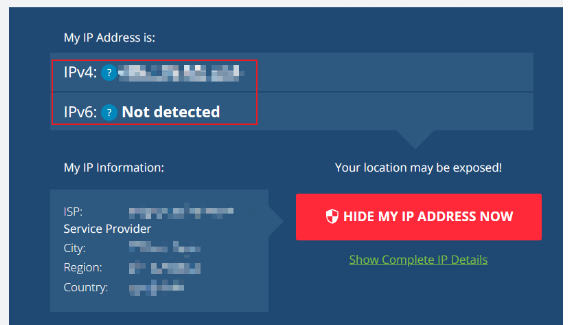
If the provided steps do not resolve the issue, please reach out to our 24/7 customer support team and provide us with the details below:
- Username
- Website URL
- Browser
- IP address
- Current location
- Telco Provider
- Software
- Screenshots of the specific issue or error message
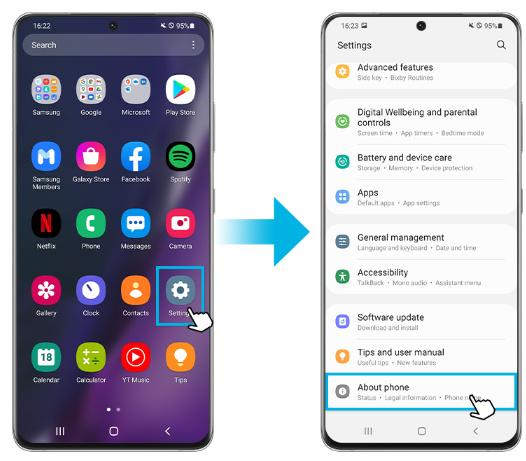
To ensure a smooth installation of the KV8 app first, check if your phone meets the minimum requirements listed on the Kv8 site. If you’re having trouble, verify that your device allows installations from unknown sources. Approve the installation request, then try again.
If you experience a redirect to another website after clicking on our site, follow these straightforward steps to manually correct the local DNS:
Step 1: Click the [Start] button in the lower left corner of your desktop and select [Settings], click [Network and Internet], and then click [Network and Sharing Center].
Step 2: Click on [Change adapter settings].
Step 3: Right-click the active network connection and click [Properties] in the pop-up menu.
Step 4: Select [Internet Protocol Version 4 (TCP / IPv4)], and then click [Properties]
Step 5: Select [Use the following DNS server address], enter [8.8.8.8 as the preferred DNS server] and [8.8.4.4 as the alternate DNS server], and then click [OK].

The 1.1.1.1 WARP by Cloudflare is a free app that allows you to browse the internet faster and more securely. When you visit your favorite websites or play on casino platforms such as KV8, it protects your privacy.
Perfect for KV8 Players
The 1.1.1.1 WARP is perfect of KV8 players. If players are experiencing connection errors, DNS errors, or if you are blocked access due to region restrictions, 1.1.1.1 WARP will help you get the access and keeps your connection stable so that players can enjoy all the games and promotions offered by KV8 without any interruption.
In addition, no technical setup is required – all you have to do is install and start using. It works anytime, anywhere.
Try It Now
Download the 1.1.1.1 WARP app today and enjoy KV8 without interruptions, safely and privately.
Here are simple steps to download the 1.1.1.1 WARP App:
➢ Android
- On Google Play Store, type in “1.1.1.1 + WARP: Safer Internet”. Or just “ Click Here ” to open the download page of 1.1.1.1 WARP.
- You will be able to see the Install button, tap on Install, and open the app once it is installed.
- You will see a new page. Press the button “Next” and remember to read the privacy policy. After reading it, tap the “Accept” button.
- Now, select the option of “Install VPN Profile” and then tap on OK.
- To activate, set the WARP to Connected.
➢ iOS
- On the App Store and type in “1.1.1.1 + WARP: Safer Internet”. Or just “ Click Here ” to open the download page of 1.1.1.1 WARP.
- Tap the get button to install the app.
- Launch the 1.1.1.1 WARP and agree to the terms of service or privacy policy.
- Now, you will need to tap on the option “Install VPN Profile” and then tap OK.
- To activate, set the WARP to Connected.
How to use 1.1.1.1 WARP?
Once you have completed to download and install the app, follow the below steps:
- 1. Open the 1.1.1.1 WARP.
- 2. Tap WARP mode:
- On the home screen, you will find a big toggle button.
- Tap the toggle to alternate between using 1.1.1.1 only (DNS mode) and 1.1.1.1 with WARP.
- Warp encrypts all your traffic. WARP is more secure and stable, which is useful when using platforms such as KV8.
- 3. After enabling WARP, a message “Your internet is private” will appear, and the key icon will appear at the status bar of your phone to confirm that the 1.1.1.1 WARP is on and ready to use.
- 4. Now you can go to https://kv8.vip/bd/en or any other official site of KV8 and play games without issues!
1.1.1.1 WARP Available For Following Devices