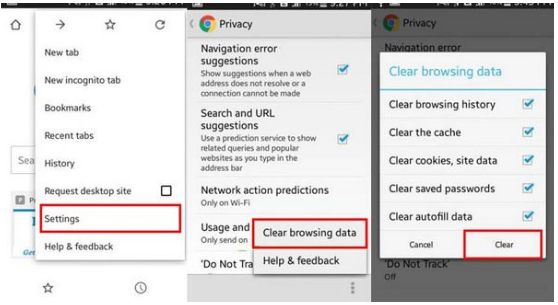
- On your Android phone or tablet, open the Chrome app .
- At the top right, tap More .
- Tap History. Clear browsing data.
- At the top, choose a time range. To delete everything, select All Time.
- Next to “Cookies and site data” and “Cached images and files,” check the boxes.
- Tap Clear Data.
Frequently Asked Questions
Here are some common questions and answers about KV8.
If you cannot find your question in the list below, please contact our customer support.
How do I clear browser cookies and caches?